
Exam prep,
one task a day.
Know what to study today from your materials and deadline. Start a focus timer, record what you finished, and pick up where you left off.
 Get it on Google Play
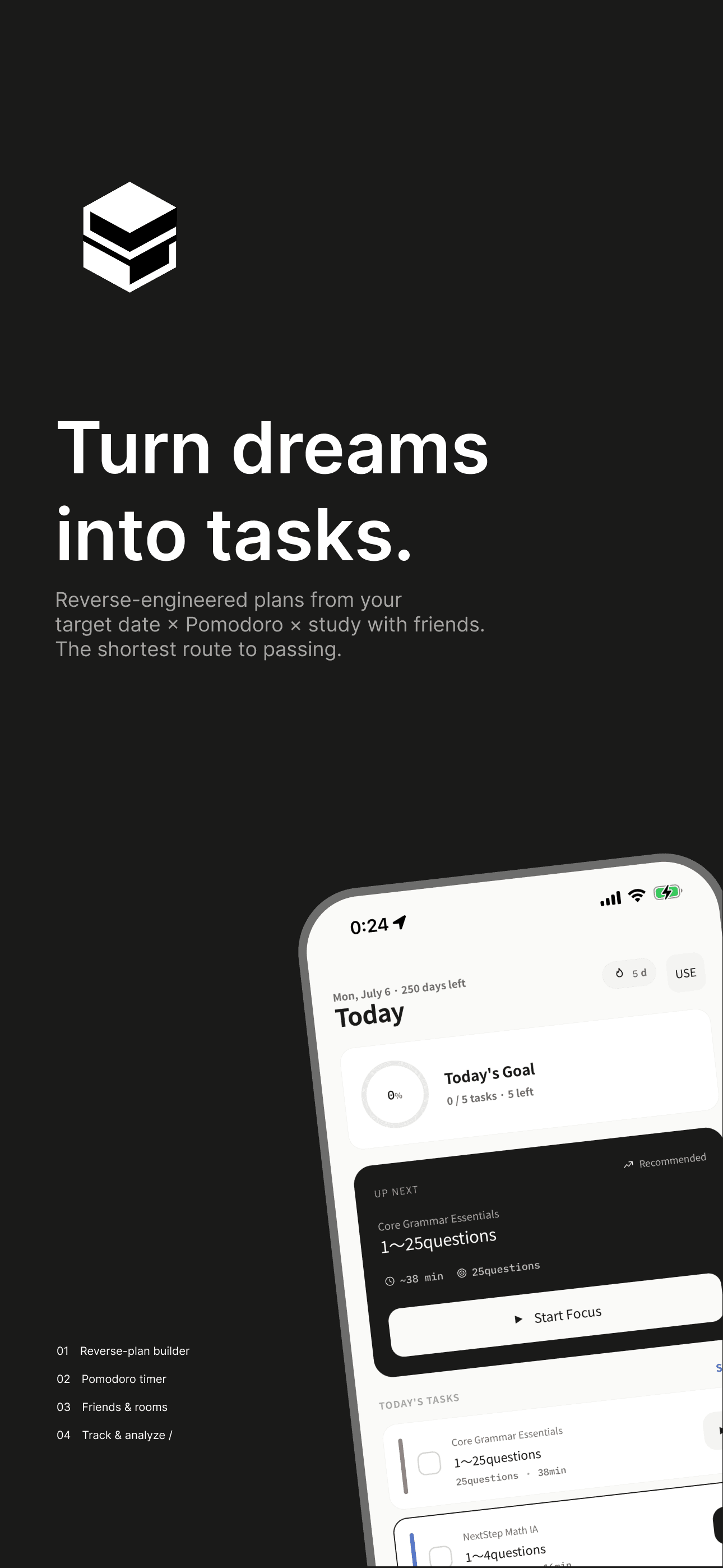
Plan, focus, and review in one place
Create a study plan from your target date, track study sessions, and review your progress in one app.
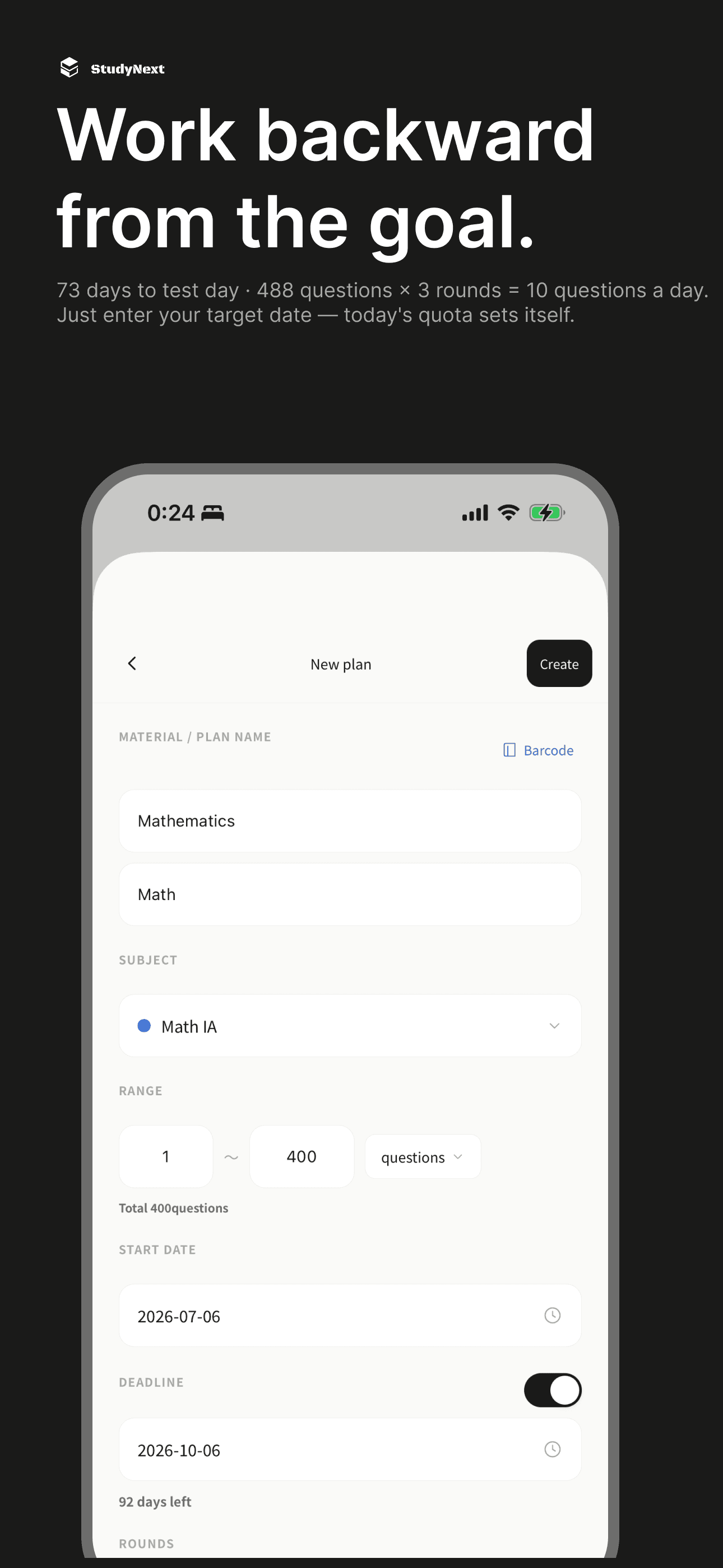
Backward-Calculated Tasks
Calculate daily workloads from the study material’s scope, deadline, and study days. Review the remaining work as you progress, including when you fall behind.
- Backward-calculates a daily target from your target deadline
- Flexible planning that accounts for difficulty and weekday
- Dynamically adjusts as your progress changes
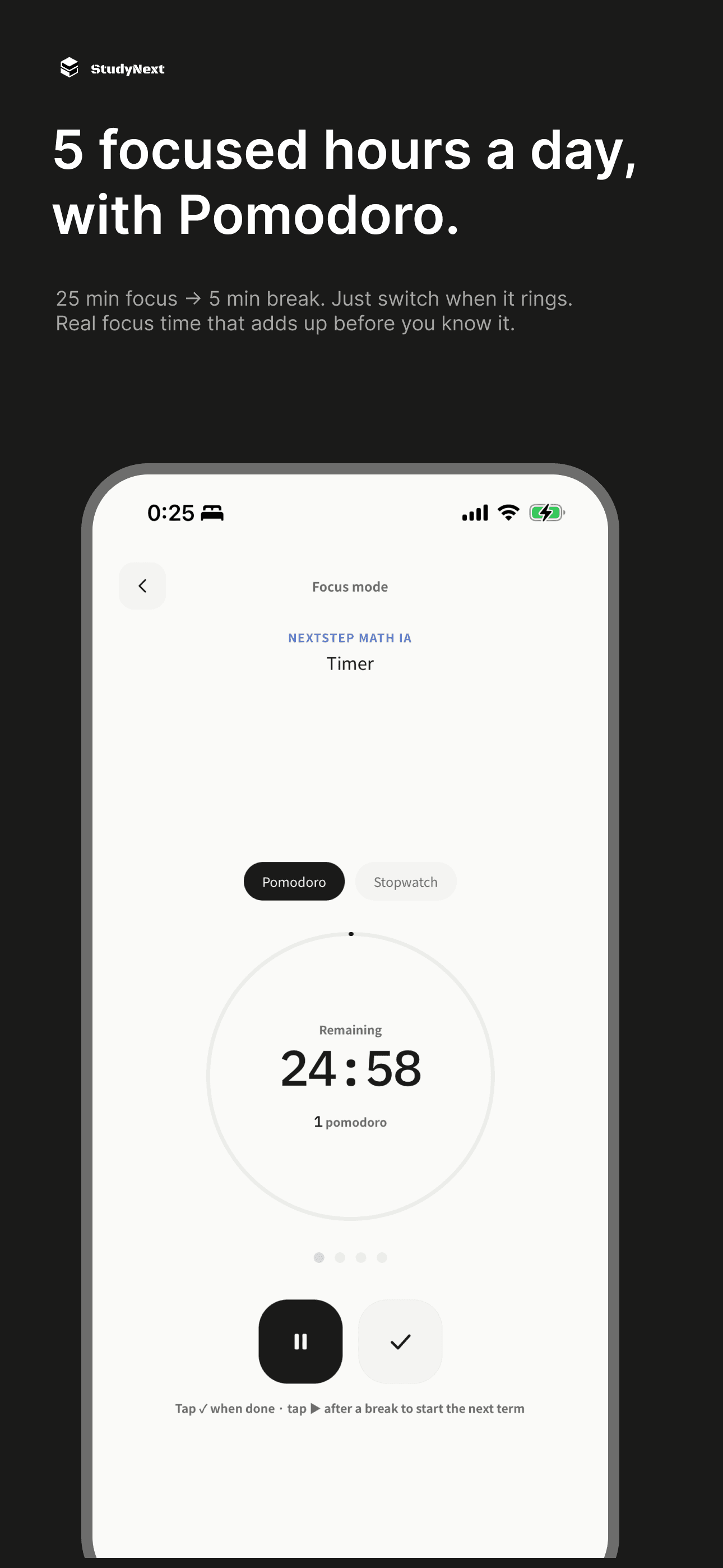
Pomodoro Focus Mode
Start a timer from today’s task. Alternate focus and breaks, then carry measured study time into your record. Check the time and scope before saving.
- Set your own focus and break durations
- Record difficulty and concentration to inform review
- Carry measured time into your study record
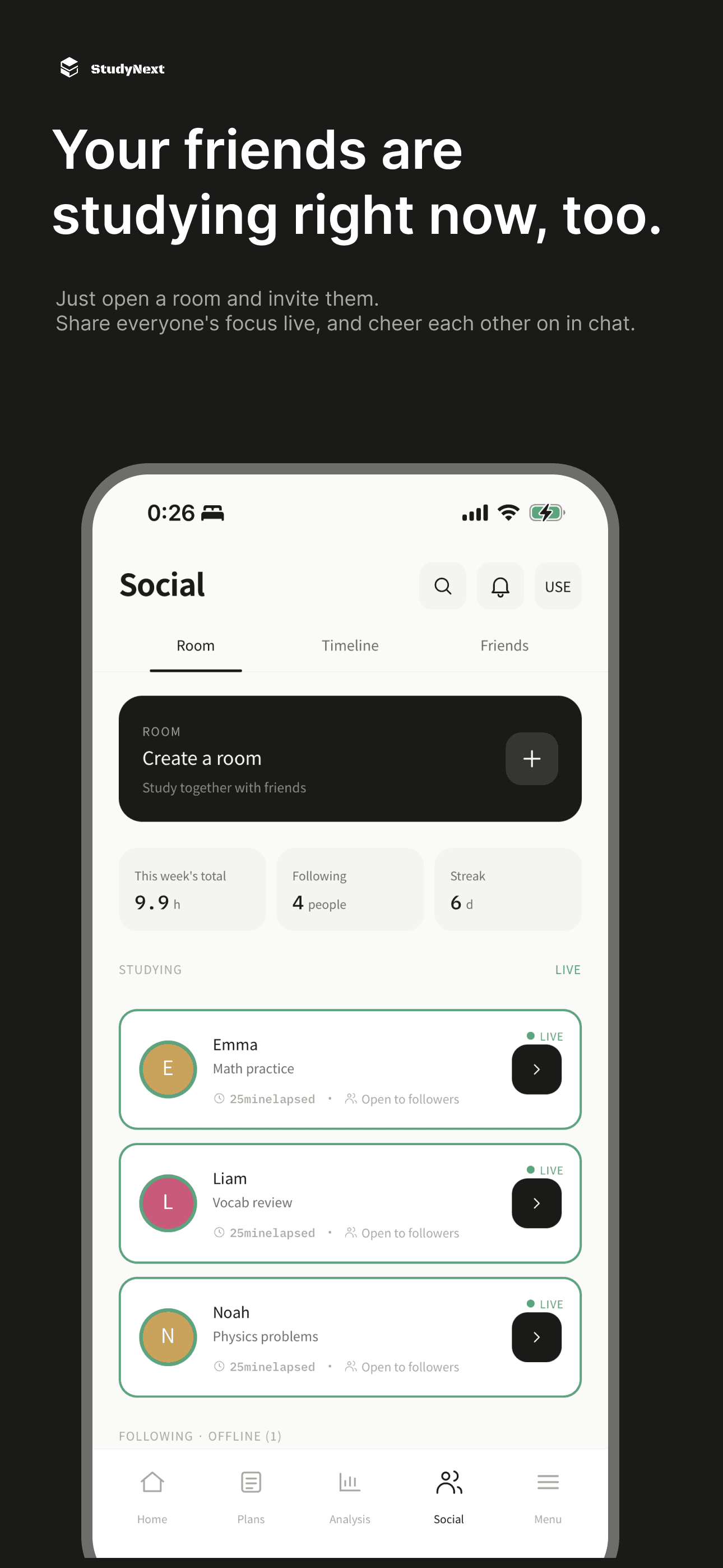
Study Rooms
When it is hard to start alone, join friends in a study room. Share studying and break statuses while each person works on their own tasks.
- Real-time chat & progress sharing
- Easily join via room creation or invite codes
- Share studying and break statuses
Study Analytics
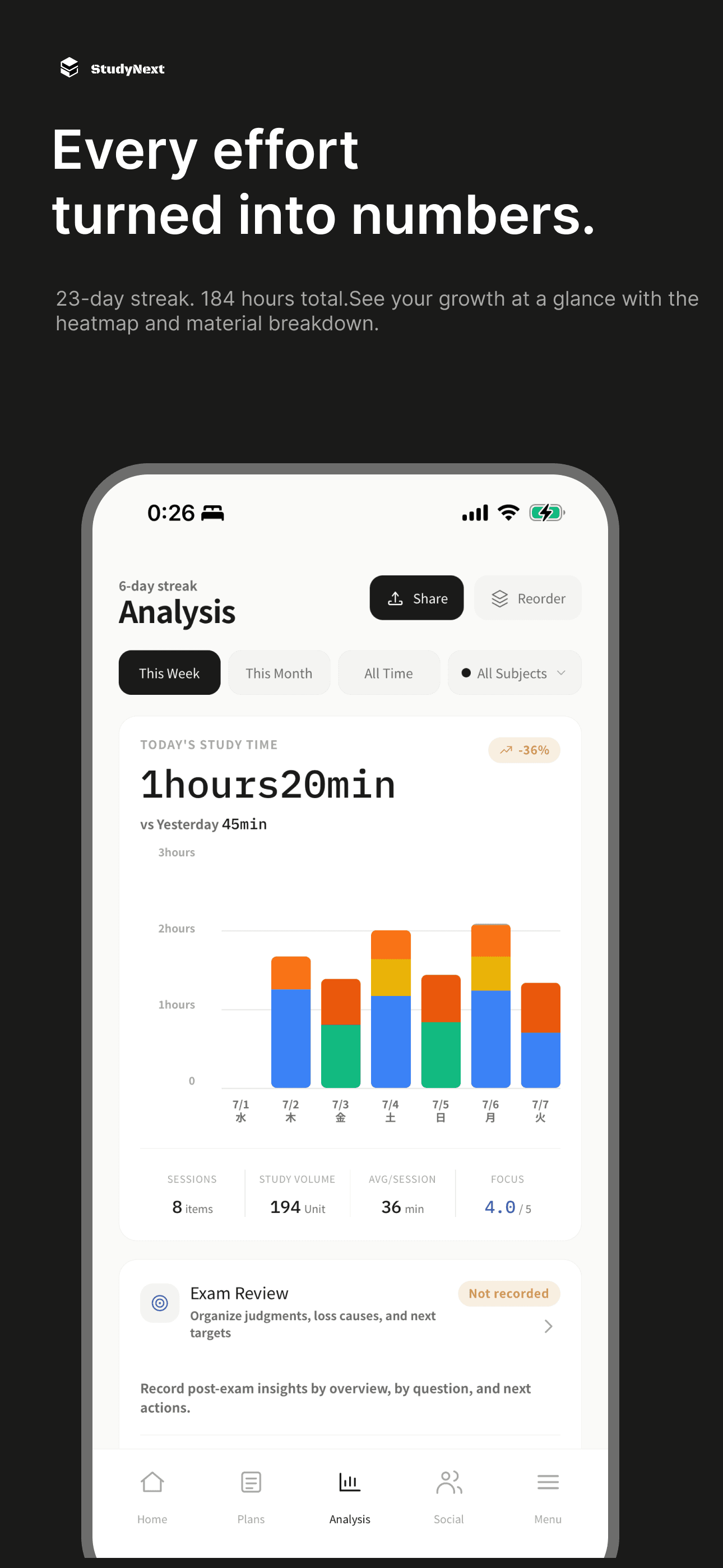
See which materials you worked on and for how long. Use recorded time, progress, and concentration to reflect on your pace and choose what to study next.
- Visualize consistency with a study heatmap
- Study-time breakdown by study material and subject
- Track concentration trends and mock-exam reviews
Build a routine that fits you
Begin with one study material and a study record. Choose device sync or data export when it fits your workflow.
See every screen
Frequently Asked Questions
Common questions about automatic study planning and how StudyNext compares to other study tools.
Q.Is there an app or website that automatically creates a study plan for me?
Q.How does StudyNext compare to Studyplus?
Q.Can I use StudyNext as an alternative or companion to Anki?
Q.What happens if I fall behind on my study schedule?
Q.Is StudyNext completely free to use?
Start today
Choose one study material, enter its scope and deadline, and check today’s task. Start by recording what you finished.
iOS 16+ / Android supported