Everything from planning to review.
Plan from a target date, track study sessions, review progress, study with flashcards, and join online study rooms.
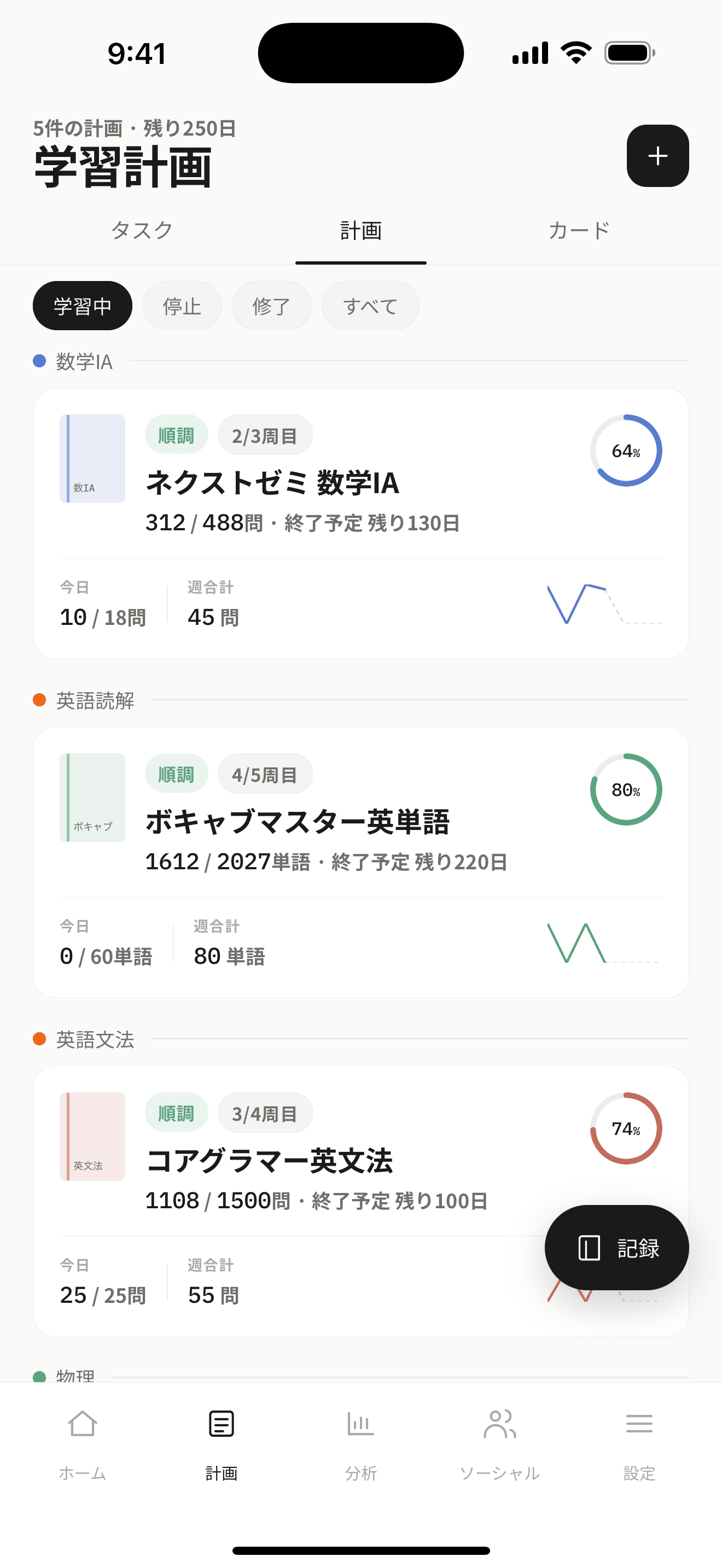
Intelligent backward planning from deadlines
Calculate daily study workloads from a material’s scope and deadline. Check your progress and review the remaining plan as you go.
Automatic Quota Calculation
Calculates the exact daily amount needed based on total pages, questions, or words and your target deadline.
Flexible Weekly Distribution
Customize distribution by weekday vs weekend, custom multiplier per day, or alternate day schedules.
Chapters & Outlines
Organize materials by chapters and sections. Paste syllabus outlines or scan ISBN barcodes for instant setup.
Multiple Iterations & Skip Completed
Plan multi-lap reviews easily. Skip already completed sections and start directly from your current position.
Dynamic Pace Optimization
Use recorded study time and remaining work to update time estimates and upcoming workloads. Adjust scope, deadlines, or study time if the workload is too high.
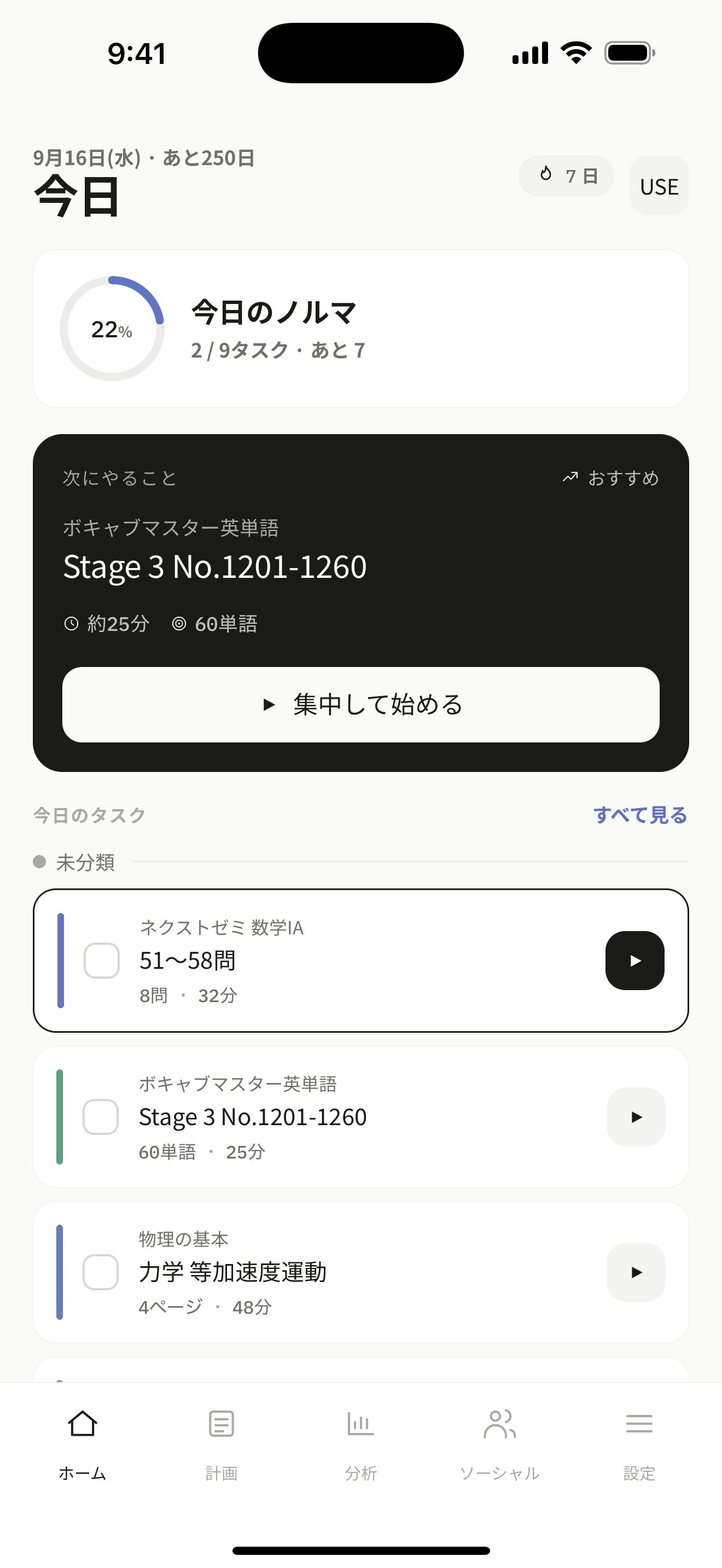
Frictionless daily task management
Consolidates today's quotas from all your plans onto a single screen. Open the app each morning and know exactly what to do next.
Today's Quota on One Screen
All tasks across your active plans automatically appear on your Today dashboard.
Automated Review Scheduling
FSRS spaced repetition tasks are automatically scheduled with daily workload caps to prevent overwhelm.
Postpone & Skip Flexibility
Unexpected schedule changes are painless: postpone a task to tomorrow or skip it with one tap.
Custom & Recurring Tasks
Add ad-hoc assignments or recurring weekly study routines outside of standard plans.
Drag-and-Drop Reordering
Reorder tasks easily to match your energy levels and daily agenda.
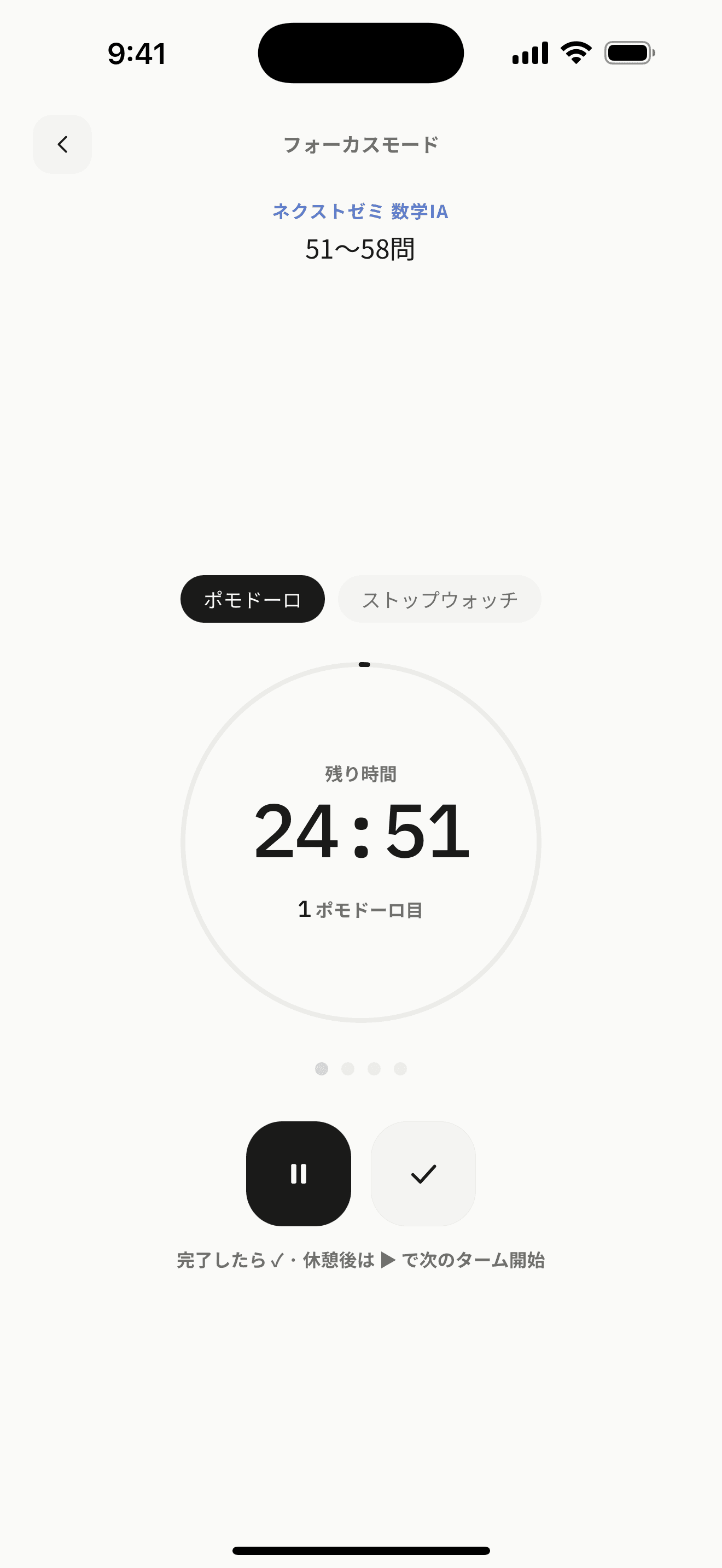
Timer system engineered for deep work
Pomodoro and stopwatch modes designed to build sustainable study momentum. Tracked time flows seamlessly into your session logs.
Pomodoro & Stopwatch
25m focus + 5m breaks (with longer breaks every 4 pomos), or a clean open stopwatch. All durations fully customizable.
Live Activities & Dynamic Island
Supports iOS Live Activities so you can track timer status from the lock screen or Dynamic Island.
Distraction-Free Audio & Haptics
Subtle alarm tones, vibration alerts, and screen keep-awake options built for distraction-free sessions.
Seamless Log Transition
Finishing a timer pre-fills your elapsed time directly into the session evaluation sheet.
Multi-dimensional study logging
Track not just time, but volume, focus, and comprehension. Gain actionable insights into your study quality.
Multi-Faceted Metrics
Record completed pages/questions, duration, 1-5 star focus score, and subjective difficulty.
Study Notes & Key Takeaways
Jot down tricky questions, mistakes to revisit, or personal notes for each session.
Real-Time Plan Progress
Recorded amounts update plan progress and task status. Recorded time also helps update study-time estimates.
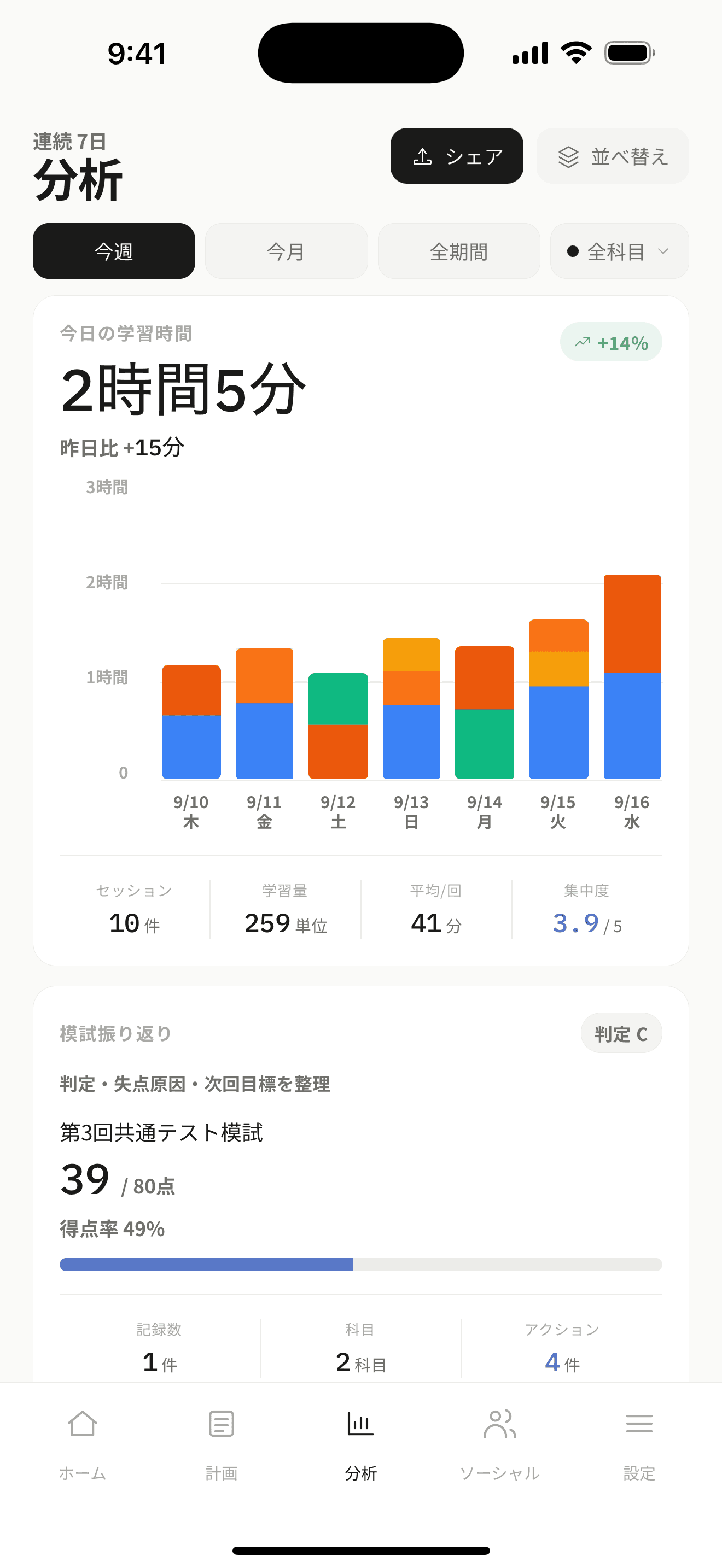
Study results at a glance
Use 16 charts to review study time, subject distribution, and mock exam results. You can also compare self-ratings with test scores.
Study time and subjects
View study-time trends by day, week, or month, and the share of time spent on each subject.
Study activity heatmap
See daily study activity by color and review your progress over time.
Compare self-ratings with test results
Compare ratings in study records with mock exam or test scores to reflect on your understanding.
Mock exam review
Record scores and reasons for lost points by section, review areas to work on, and add follow-up tasks to your plan.
Review cards based on your ratings
FSRS and SM-2 spaced repetition use your ratings to calculate upcoming review dates. Check cards due today, and import or export Anki-format decks.
Calculate review dates per card
Use answer history and ratings to calculate review dates. Retention varies with your material and study approach; adjust workload and settings as needed.
Import and export Anki decks
Import and export .apkg decks with images, audio, Cloze cards, and some review history. Card display and some data are adapted for StudyNext.
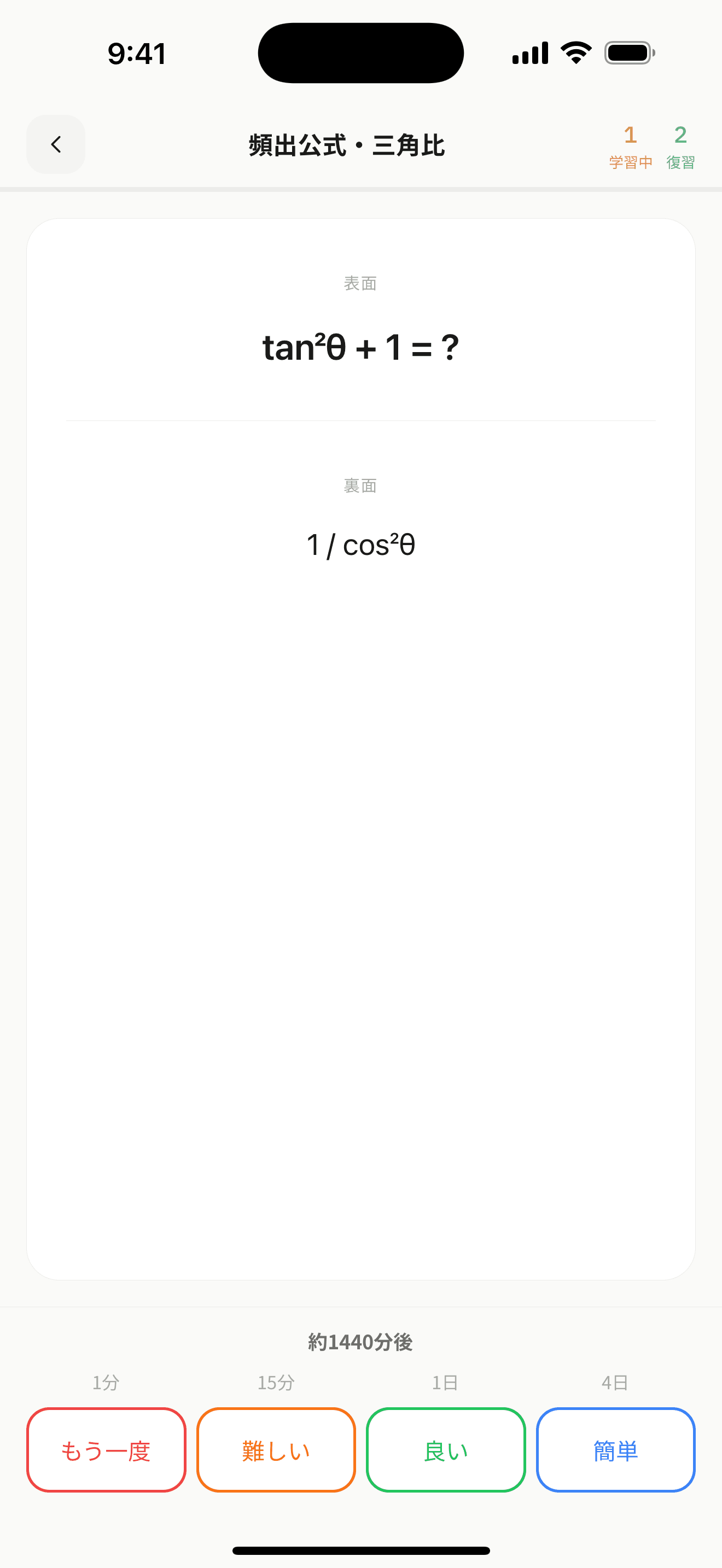
Intuitive 4-Grade Rating
Rate recall with Again, Hard, Good, or Easy to calibrate the next review date instantly.
Deck Sharing & Marketplace
Share custom study decks with peers or download community-curated decks.
Choose how to keep and sync your records
Start with plans and records on your device. Connect an account or make a backup when you need it.
Record locally, sync when needed
Connect an account to sync supported study data to its PDS (data server). Synced records are public; read the privacy policy for public visibility and data handling.
Export records and create backups
Use CSV to review study records and JSON backups to prepare for restoration. Supported data varies by format and destination.
Continue on another device
Connect an account to sync supported data across devices. Check connectivity and sync completion before continuing elsewhere.
 Get it on Google Play
Study together in rooms and teams
Join online study rooms or form small teams to learn alongside others.
Live Study Rooms
Join an online study room and study alongside others. Timer progress is shared in real time.
Study Teams (2-20 Members)
Form a team and choose cooperative goals or competition based on study time.
Daily Check-Ins & Footprints
Share end-of-day reflections and completed tasks with your team, and react to each other's updates.
Share study records with peers
Connect an Atmosphere account to post on the public AT Protocol network.